How to Use AI for Etsy Listings Without Breaking Etsy's Rules
Using AI for Etsy listings can save you hours, whether you're generating artwork, cleaning up mockups or drafting a description. But Etsy has clear rules about AI, and breaking them can get listings removed or, in serious cases, a shop closed. This guide explains what Etsy's AI policy allows, what it bans, how to disclose AI use, and a simple workflow that keeps a human (you) in charge of every listing.
Last checked Nov 20, 2026, against Etsy's Creativity Standards, Etsy's Seller Handbook article What's Etsy's Stance on AI Creations? (dated Oct 22, 2026) and the Listing Image Requirements (updated Nov 5, 2026). Etsy says it reviews its AI policies periodically, so re-check them before you list.
What Etsy's AI policy allows
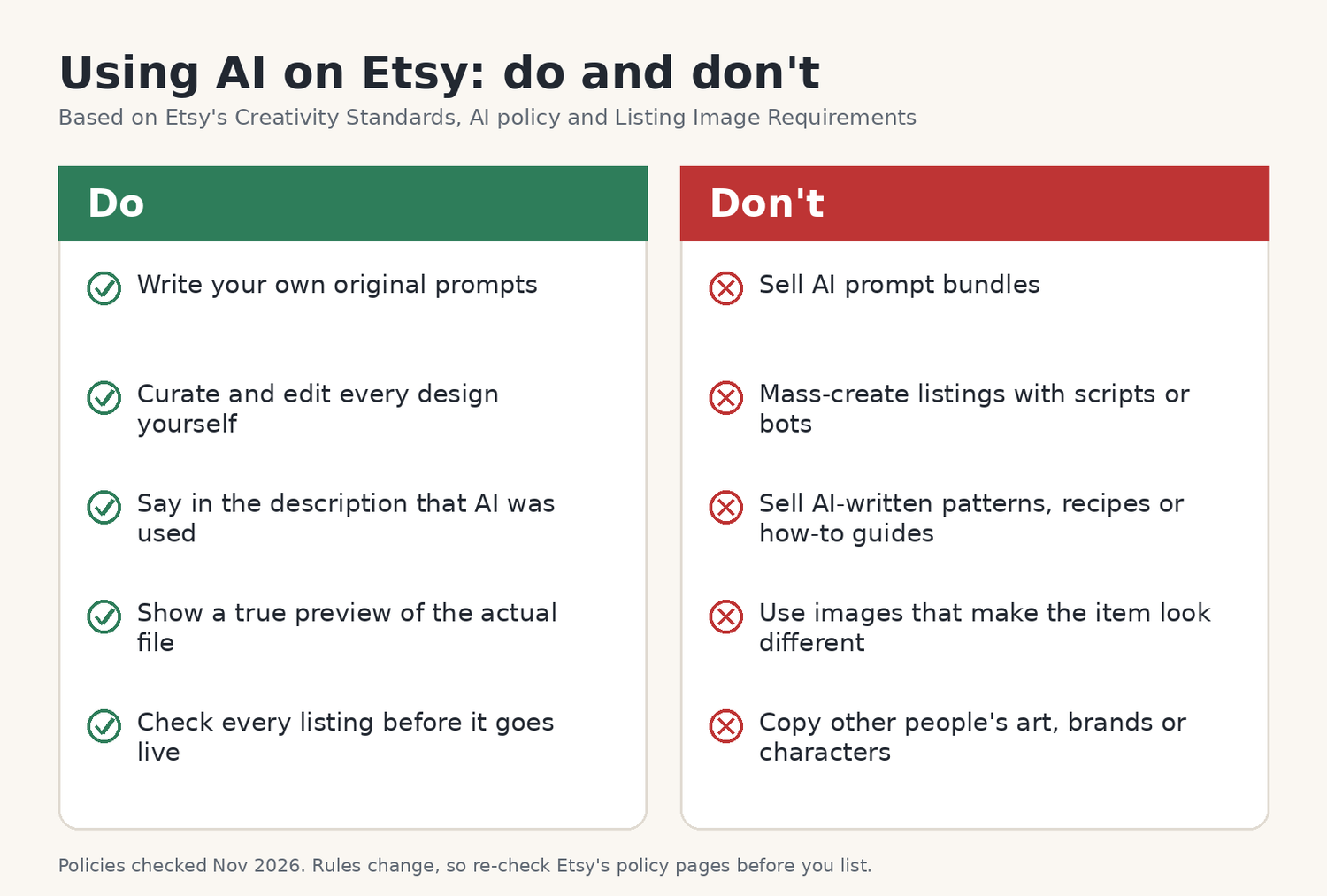
Etsy allows what it calls "seller-prompted AI creations." In the Etsy creativity standards, these sit in the "designed by a seller" category, next to original digital downloads. Etsy's examples include a fantasy scene made by an AI generator from a seller's original prompt, and a custom pet portrait made with AI tools.
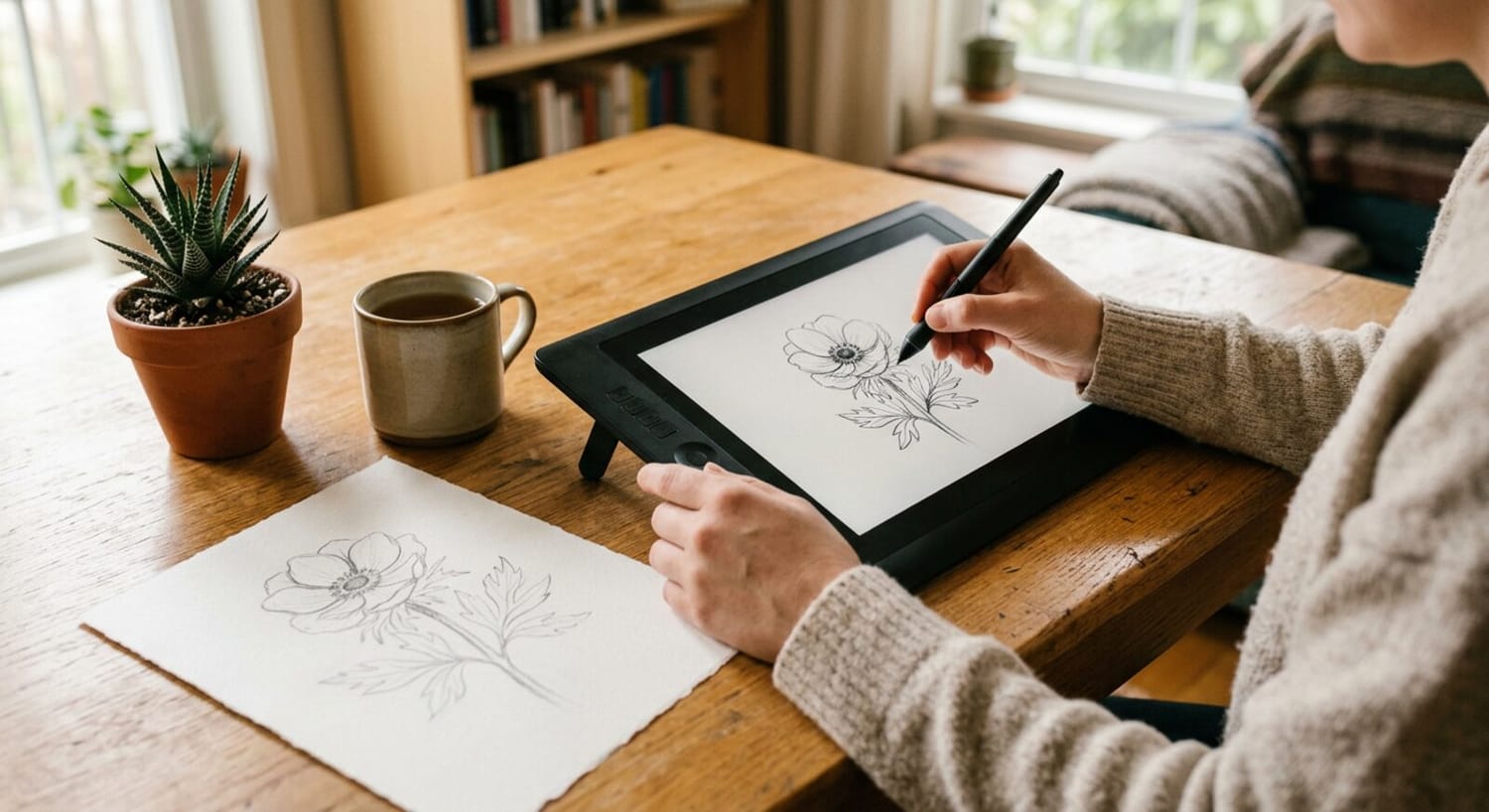
The key condition is human involvement. Etsy says every item must involve "direct, individual human prompting, curation, and creative input into that specific item." In other words, AI can be a tool in your process, but you have to be the one making creative decisions for each product.
If you're new to selling, how to start an Etsy digital download shop in Canada covers what else counts as an original digital product.
The AI disclosure rule
This is the rule people miss most often. Etsy's Creativity Standards say sellers "must disclose within their listing description if an item is created with the use of AI."
A few practical tips for AI generated art Etsy disclosure:
- Put it in the description itself. The policy names the listing description, so a note only in your shop's About section isn't enough.
- Be plain and specific. For example: "This artwork was created with AI image tools from my own prompts, then edited and finished by me."
- Don't hide it. Place it where buyers will actually see it, not buried at the end of a long block of text.
Clear AI generated art Etsy disclosure also helps buyers decide with full information, which can mean fewer disappointed customers.
What Etsy doesn't allow
Bot-generated and mass-automated listings
Etsy prohibits "entirely bot-generated AI content." It also bans "mass-automated generation of listings or products through scripts or other automated processes without individualized human oversight." Generating hundreds of designs and pushing them to your shop with a script, without reviewing each one, is exactly what this rule targets.
AI-generated functional instructions
Etsy doesn't allow AI-generated content whose main purpose is to teach a buyer how to make, build, prepare or complete something. Etsy lists examples such as:
- Knitting, crochet, sewing, embroidery, quilting or beading patterns
- Recipes
- Woodworking and other project plans
- Instruction or assembly manuals
- Instructional guides or e-books that give directions for a task
Etsy's reason is that AI-written instructions are more likely to contain errors, and buyers often don't find out until they've spent time and materials. If you sell patterns or guides, the instructions themselves need to be your own work.
AI prompt bundles
You can't sell a bundle of prompts on its own. Etsy considers prompts part of the creative process, not a finished product.
Someone else's rights
Etsy says sellers may not use AI to create content that infringes on another person's privacy, publicity or intellectual property rights. That rules out AI copies of an artist's work, famous characters or brand logos. AI content also has to follow every other Etsy policy, including its rules on adult content.
Using AI in listing images
Etsy's Listing Image Requirements set the standard: every image must accurately show what the buyer will receive.
- You may not use AI to make an item look better, higher quality or materially different than it is.
- For most products, at least one image must be an unedited photo of the actual item against a real background.
- For digital downloads, Etsy says listings should include a visual preview or excerpt of the content buyers will receive. Representative imagery, including AI images, is allowed only for digital items with no visual elements, such as audio files.
For printable wall art, that means your listing should include a straightforward preview of the actual design. If you also use room mockups, make sure they match the file and make it clear that only the digital file is included.
Using AI for Etsy listings text: titles, tags and descriptions
The Etsy AI policy pages we reviewed focus on the items you sell and the images you show. They don't specifically address using AI to help draft a title or description. The ban on mass-automated listings without individual human oversight still applies, though, and so does Etsy's expectation that listings don't mislead buyers.
If you use AI for Etsy listings text, treat its output as a first draft:
- Check every fact. AI tools can invent file sizes, dimensions or features. Your description must match the actual files.
- Write for people first. Repeating keywords makes a description harder to read and doesn't help buyers decide.
- Add the details only you know: what's in the download, the print sizes included, and whether frames or physical items are included (for a digital file, they aren't).
- Include your AI disclosure if AI helped create the item itself.
A simple, rule-friendly AI workflow
- Start with your own idea and prompts. Decide the style, subject and audience yourself.
- Curate hard. Generate options, then choose, edit and refine. Fix odd hands, warped lines and garbled text.
- Finish the design yourself. Adjust colours, layout and sizing for printing.
- Check rights. No logos, characters or styles copied from a specific artist.
- Prepare honest previews. Show the real file, plus any mockups that match it.
- Write and review the listing yourself. Confirm every detail and add your AI disclosure.
- Publish one listing at a time, with a human check before each goes live.
It also helps to keep a simple record for each design: your main prompts, the edits you made and the date you finished it. If a buyer or Etsy ever asks how an item was made, you'll have a clear, honest answer ready.
Before you set prices, see Etsy fees in Canada, explained for what Etsy takes from each sale.
FAQ
Is AI art allowed on Etsy?
Yes, if it's based on your own original prompts, involves your direct creative input and curation, and you disclose AI use in the listing description.
Where do I put the AI disclosure on Etsy?
In the listing description of each item created with AI. That's where Etsy's Creativity Standards require it.
Can I sell AI-written e-books or planners on Etsy?
AI-generated instructional guides and e-books that give directions for a task aren't allowed. A planner is a template rather than instructions, but it still has to be your own design, and you need to disclose any AI use in creating it.
Can I use AI for Etsy listings photos and mockups?
You can use AI to edit images as long as they accurately represent what the buyer receives. For digital downloads, include a real preview of the file.
Sources
- Etsy's Creativity Standards (last updated Jun 10, 2025)
- Etsy Seller Handbook: What's Etsy's Stance on AI Creations? (Oct 22, 2026)
- Etsy Listing Image Requirements (last updated Nov 5, 2026)
- Etsy Help: How to Manage Your Digital Listings
Want more guides like this? Get the free updates.
SHARE


Get free Etsy seller guides by email
Side Hustle Autopilot - PO Box 35, Barrie ON L4N 4E0, Canada - info@sidehustleautopilot.com
Terms | Privacy | Not affiliated with or endorsed by Etsy, Inc.